
Step 1
The schedule moved.
Float eroded toward Phase C and D while recovery pulled Phase B back.
Milestone Tracker
Phase APhase BPhase CPhase D
For the scheduler who builds the monthly update,and the stakeholders who read it
Upload the schedule update. Pathizer drafts the reports and narrative. Your scheduler reviews and signs off.
60 days on your own projects. No card to start. Or try P7 and the free tools, no account
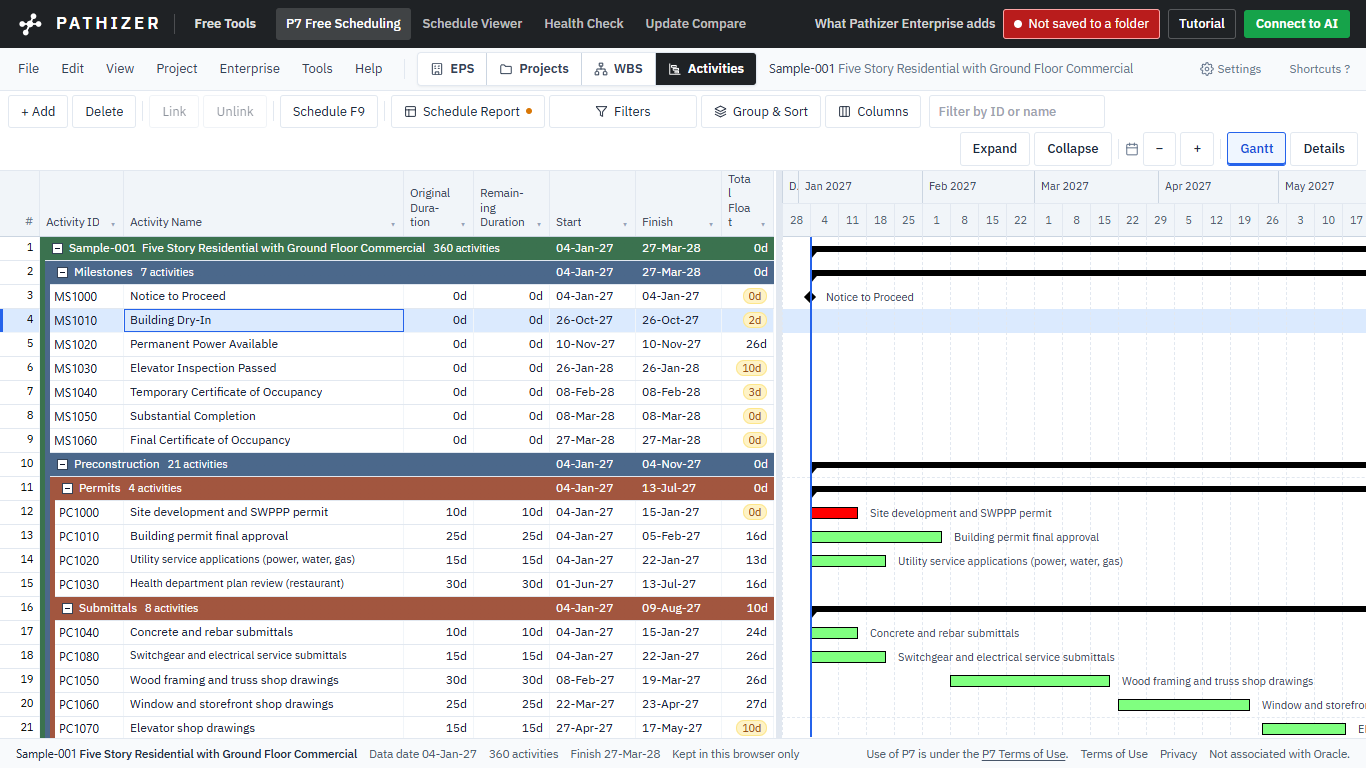
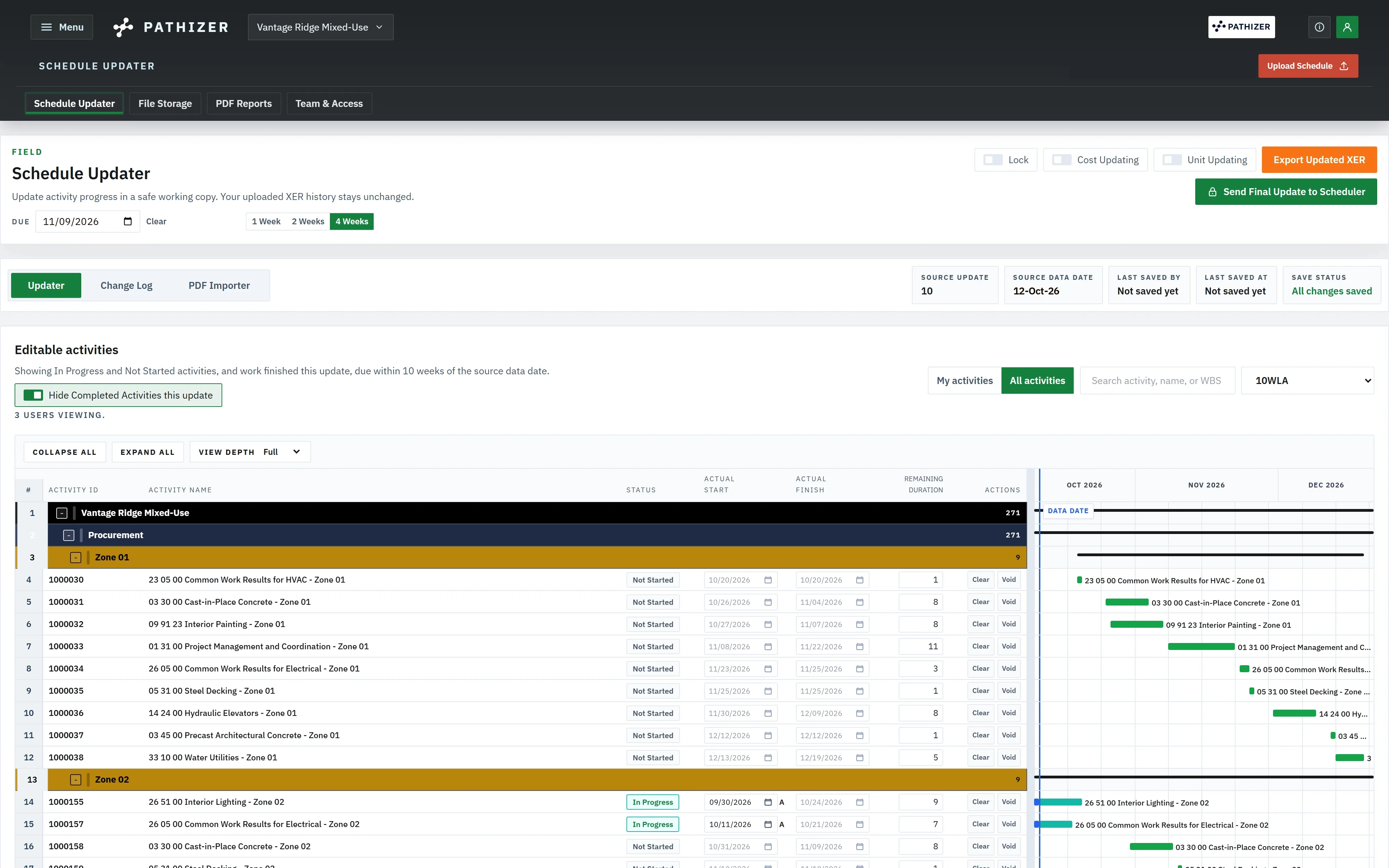
The field enters progress in the Schedule Updater.
The scheduler adds the time impacts for this period in P7.
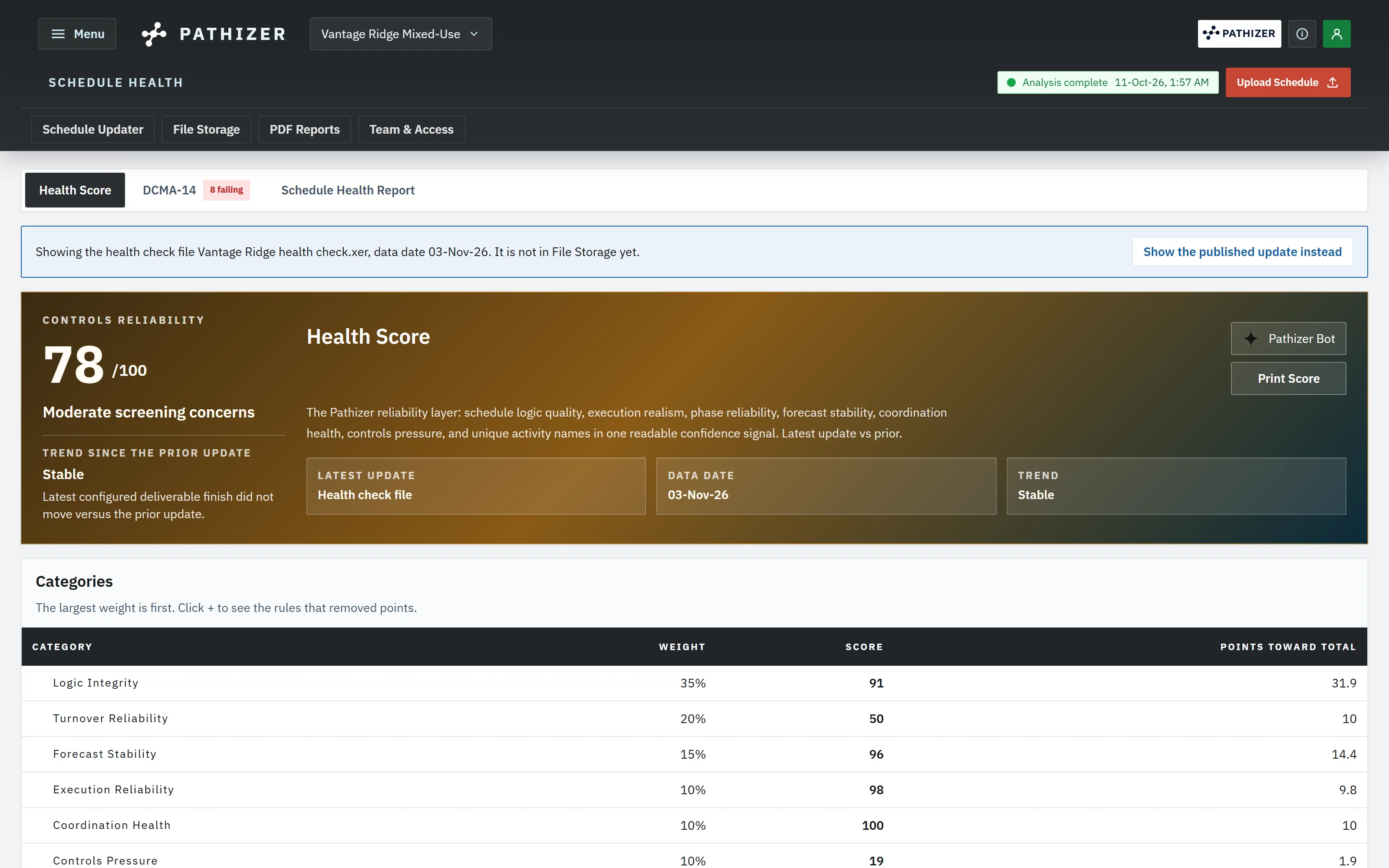
Pathizer scores the schedule and shows each check that fails.
The project team reviews the float paths and new impacts in P7.
The scheduler publishes the update, and Pathizer writes the reports.
Connected Workspaces
Current control + update review
Review each update, focus the weekly action plan, test recovery scenarios, and draft the narrative for the owner meeting.
Explore OperationsDelay + exposure review
Analyze schedule update history, Half-Step Changes, delay and recovery drivers, phase impacts and contractor exposure.
Explore Delay AnalyzerSchedule copilot
A schedule copilot grounded in XER evidence, phase drivers, update review findings and float paths.
Explore Pathizer AITalk to your schedule in ChatGPT or Claude. It reads your project's results. Uploads, deletions and new analysis runs wait for your yes in the chat, and everything it does runs under your own permissions.
Watch One Update Become an Explanation
A deterministic engine does the schedule math; AI only drafts the language. Illustrative data from a configured milestone review: a general comparison does not require phase setup; target-specific conclusions require a confirmed milestone and supporting evidence.
Step 1
Float eroded toward Phase C and D while recovery pulled Phase B back.
Step 2
Activities, trades and logic changes, ranked in calendar days and exposure at your stated rate. Attribution remains subject to the evidence.
Step 3
Each driver links to its activity IDs, relationship edits and duration changes.
Step 4
An executive narrative and a Pathizer AI answer, both citing the update pair.
Between UD03 and UD04, Phase C lost float on the electrical rough-in path. EL-RGH-0440 went from 10 to 24 days, and a new FS tie now runs from A1043 to A1051.
Pathizer AI
Why did Phase C lose float?
The engine traced the Phase C float loss between UD03 and UD04 to the 14-day duration increase on EL-RGH-0440 and the new FS tie into A1051. Both appear in the evidence ledger under that update pair.
Try it on your own schedule.
Driver attribution and the evidence trace run in a project workspace.
No account needed.
Start here
Pathizer for Contractors
Open your latest schedule update. Add last month's to see what changed. Free, no account, no credit card required.

Pathizer for Scheduling Consultants & Project Controls
Open your latest schedule update. Add last month's to see what changed. Free, no account, no credit card required.

Pathizer for Claims & Forensic Consultants
Open your latest schedule update. Add last month's to see what changed. Free, no account, no credit card required.

Pathizer for Real Estate & Infrastructure Developers
Open your latest schedule update. Add last month's to see what changed. Free, no account, no credit card required.

Pathizer for Government & Public Owners
Open your latest schedule update. Add last month's to see what changed. Free, no account, no credit card required.

Start With Your Own Schedule
No migration and no new scheduling tool: Pathizer reads the exports you already produce. Your files stay in access-controlled project storage, you decide who sees the analysis, and you can delete your data.




Works with .XER and .XML exports from Primavera P6, Microsoft Project, Asta Powerproject and Phoenix Project Manager.
Pathizer is not associated with Oracle, Microsoft, Elecosoft or Phoenix CPM. Product names and logos are trademarks of their owners.
Open your latest schedule update.
Add last month's to see what changed. The free tools need no account.
When the update history cannot tie a day of movement to a party, Pathizer leaves that day unattributed. It does not split the day pro rata or round it into the largest share.